
Seedream 5.0 Pro: AI Images With Real Layout and Text Control
Seedream 5.0 Pro is ByteDance's flagship image model, released in July 2026. It plans a composition before drawing it — six-step infographics, annotated product sheets, posters with correctly spelled text in 14 languages — and its photoreal output is a clear step up from Seedream 4.5. Try Seedream 5 Pro free with your signup credits — no API key needed.
File format for the generated image
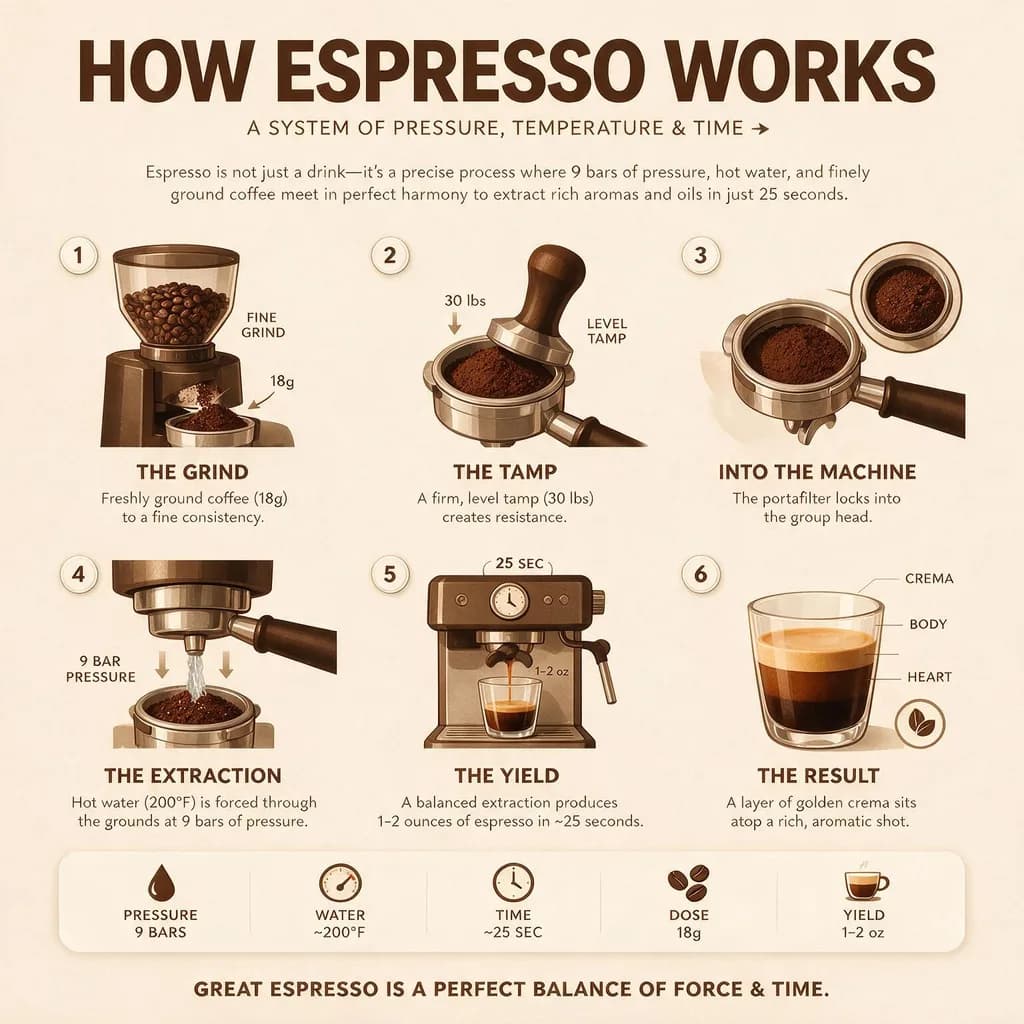

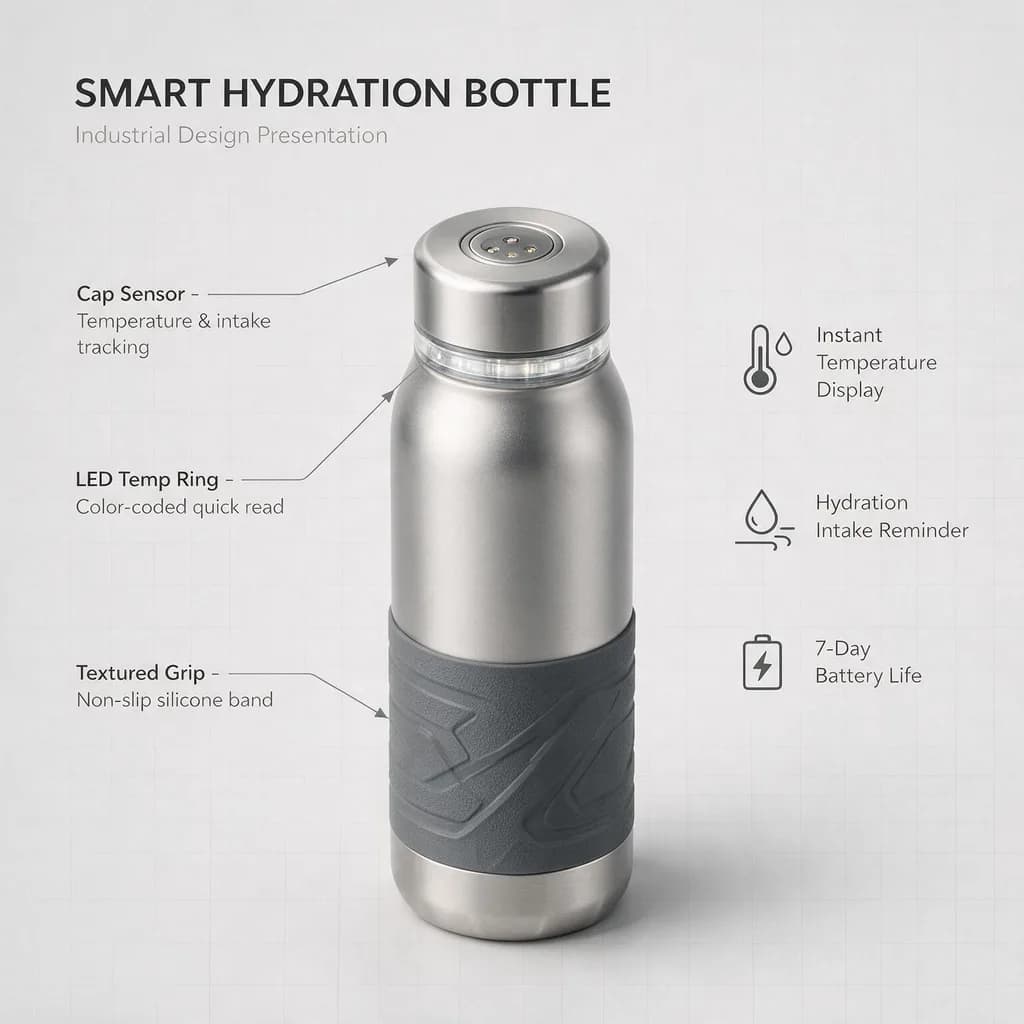

Example results — your generations will appear here.
Seedream 5.0 Pro specs: what the flagship actually does
Key facts about Seedream 5.0 Pro, verified through real generations on our platform.
Reasons before it draws
Seedream 5.0 Pro runs a deep-thinking pass on your prompt before generating. Multi-part instructions — 'six numbered steps, each with an icon and a two-line caption' — come back laid out as asked, not approximated. This is the core difference from diffusion models that render in one shot.
Native text in 14 languages
Renders readable, correctly spelled text in English, Spanish, Japanese, Korean, Arabic and ten more languages — including mixed-language layouts like an English headline over Japanese calligraphy. Long passages still deserve a proofread, but short display text is dependable.
Dense layouts and infographics
Holds structure across a whole composition: comparison charts, step-by-step guides, annotated diagrams with callout lines pointing at the right parts. Where most models collapse past three or four text blocks, 5.0 Pro keeps a dozen coherent.
Five sizes up to 1920px
1:1 (1536×1536), 4:3 (1600×1200), 3:4 (1200×1600), 16:9 (1920×1080) and 9:16 (1080×1920). Larger native output than Seedream 4.5's presets across the board — poster-ready without upscaling.
Up to 10 reference images
The edit endpoint accepts up to 10 source images in one request, and the prompt can point at them individually. Useful for style blending, multi-angle product references, or keeping one subject consistent across a series.
Built-in safety checker
A content safety filter runs on every generation and can't be disabled by the client. Policy-violating outputs are blocked and credits are auto-refunded.
What Seedream 5.0 Pro does best
These are the projects where 5.0 Pro's layout and text control give you a clear advantage over faster or cheaper models.
Infographics and explainers
Generate how-it-works posters, step-by-step guides, and stat sheets in one prompt. Describe the structure — number of steps, what each panel shows — and the text arrives readable and in place, no post-editing in Figma.
Localized marketing posters
Run one prompt per market and get the same campaign poster with native Japanese, Spanish, or Arabic display text baked into the artwork. For cross-border stores this replaces a round of designer plus translator per locale.
Product sheets and annotated diagrams
Produce design-presentation renders with callout lines, labeled exploded views, and spec panels. 5.0 Pro keeps annotation lines attached to the parts they describe — the failure mode that makes other models unusable for this.
Text-heavy commerce graphics
Create menus, price boards, and promo banners with multiple prices and product names in one pass. Numbers and currency symbols come out exact — "$4.50" stays $4.50.
Editorial and photoreal shots
Skin texture, lighting, and material rendering improved noticeably over 4.5. If you're already paying for text control, the photoreal quality means one model covers the whole campaign.
Series work with references
Feed up to 10 reference images and generate variations that keep the subject, palette, or layout consistent — campaign sets, character sheets, brand templates.
Seedream 5.0 Pro vs other AI image models
Every model in the lineup earns its slot — this is when 5.0 Pro is the right pick, and when a cheaper model does the same job.
Use Seedream 4.5 for plain photoreal work
If the image has no text and no layout structure — product shots, food, portraits — Seedream 4.5 delivers strong photoreal results at roughly half the credits. Save 5.0 Pro for when structure or text earns its price.
Learn more →Use GPT Image 2 (High) for single hero assets
GPT Image 2 on High still produces the most polished individual images — at several times the cost and minutes of wait. 5.0 Pro is the better default for text-dense work and anything produced in batches.
Learn more →Use Nano Banana 2 for surgical edits
'Change the jacket to red, keep everything else' is still Nano Banana 2's territory. 5.0 Pro's edit mode is built for restyling and reference-driven composition, not pixel-preserving single-element swaps.
Learn more →Use Z-Image Turbo to iterate on ideas
At a fraction of the cost and 5–10 second generations, Z-Image Turbo is the right tool for exploring compositions before committing credits to a final 5.0 Pro render.
Learn more →Examples
Seedream 5.0 Pro examples: real prompts, unedited outputs
Every image below was generated on this platform with Seedream 5.0 Pro — text, prices, and labels exactly as the model returned them.
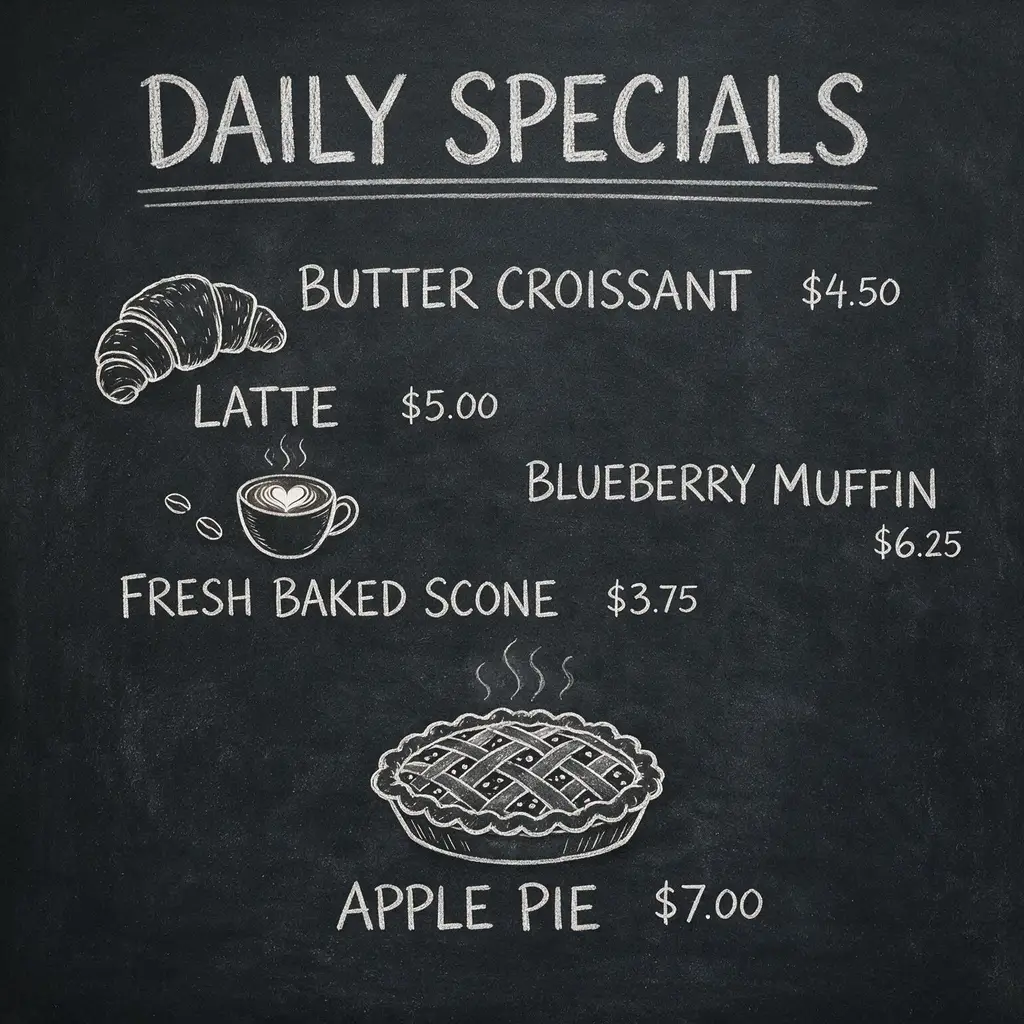
Chalkboard menu with prices
Hand-drawn style cafe chalkboard menu, header "DAILY SPECIALS", five menu items with prices in neat chalk lettering, small chalk doodles of a croissant, coffee cup and pie, dark slate background
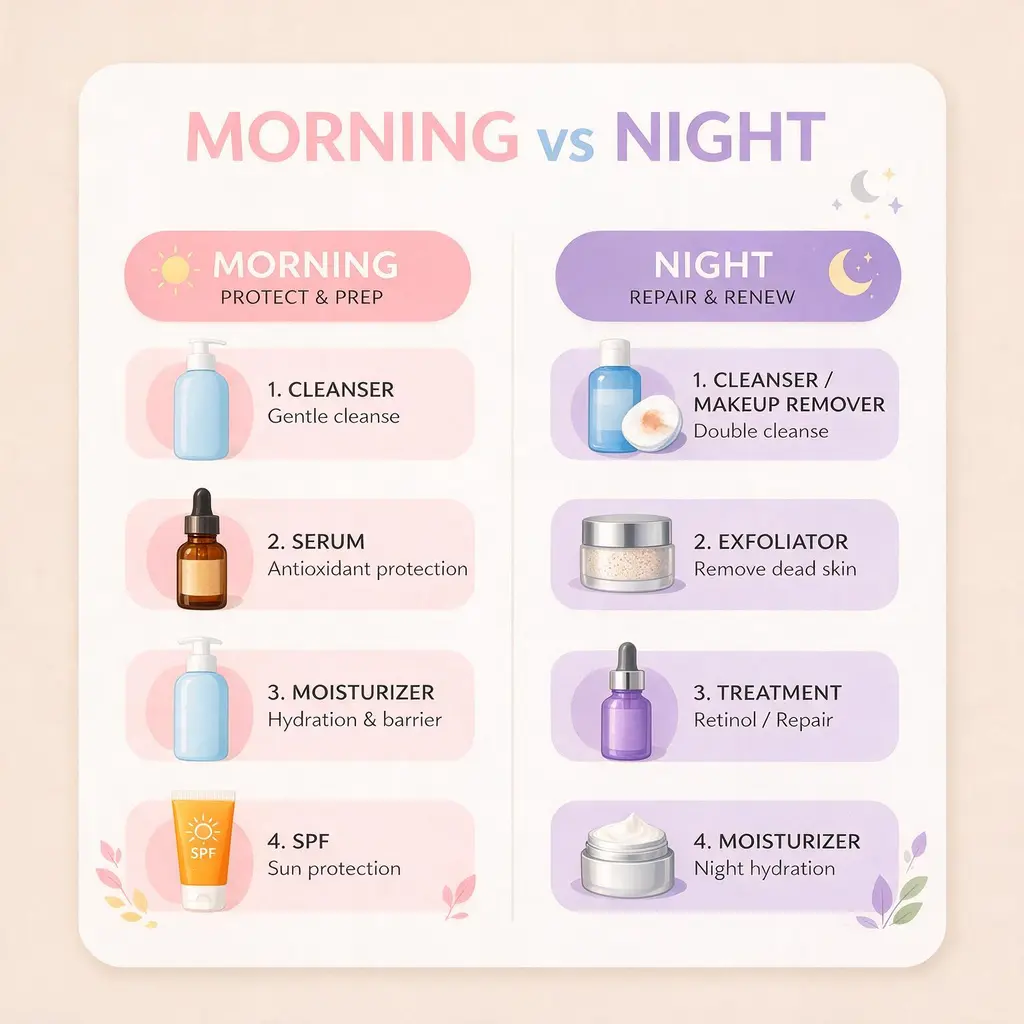
Skincare comparison chart
Clean comparison chart graphic "MORNING vs NIGHT skincare routine", two labeled columns each with four product icons and one-line captions, soft pastel color coding, rounded card layout, flat illustration style
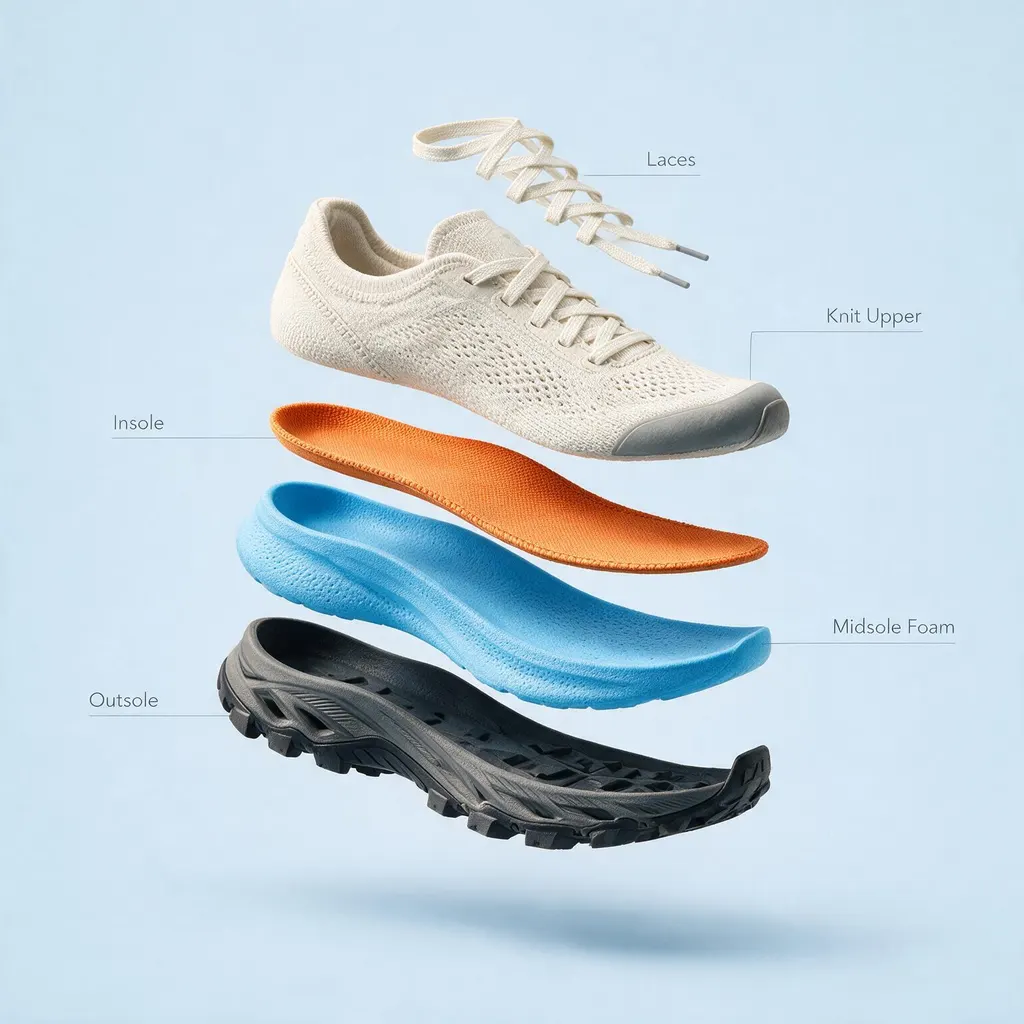
Exploded product diagram
Exploded-view diagram of a running sneaker floating on a pale blue background, layers separated vertically (outsole, midsole foam, insole, knit upper, laces), each layer connected by a thin line to a small text label, photorealistic materials

Spanish market poster
Warm illustrated poster for a Mexican farmers market titled "MERCADO DE FLORES" with the subtitle "frutas y verduras frescas todos los días" in hand-painted lettering, papel picado banners overhead, rich terracotta and teal palette, folk-art style
Seedream 5.0 Pro tips: prompt it like a design brief
These three habits get the most out of 5.0 Pro's planning ability.
1. Put exact text in quotes
Any words you want rendered — titles, prices, labels — go in quotation marks: a poster titled "MERCADO DE FLORES". The model reproduces quoted strings verbatim, which is how you get $4.50 instead of $4.S0. Name the language if it isn't obvious from the text itself.
2. Describe structure, not just style
5.0 Pro plans layout, so structural language pays off: 'six numbered steps in a grid', 'two labeled columns', 'three callout lines pointing to the cap, the ring, and the grip'. Vague prompts get generic layouts; brief-like prompts get designed ones.
3. Iterate cheap, finalize on Pro
Explore compositions with Z-Image Turbo at a fraction of the cost, then re-run the winning prompt on 5.0 Pro for the final asset. And since there's no seed parameter, save prompts you like — reproducing an exact output later isn't guaranteed.
Seedream 5.0 Pro FAQ
Common questions about Seedream 5.0 Pro — what it is, what it costs, and how it compares to Seedream 4.5.
What is Seedream 5.0 Pro?
Seedream 5.0 Pro is ByteDance's flagship image generation model, unveiled in June 2026 and released to developers in July 2026. It sits above Seedream 4.5 and 5.0 Lite in the family, and its signature strengths are structured layouts, dense infographics, and native text rendering in 14 languages.
How can I use Seedream 5.0 Pro online for free?
Sign up here and you get free credits that cover your first Seedream 5.0 Pro generations — no API key, no ByteDance account, no setup. After that, generations are pay-as-you-go with credits.
Is Seedream 5.0 Pro worth it over Seedream 4.5?
If your image contains text, labels, charts, or a layout that has to hold together — yes, it's not close. If you just need a photoreal product shot or portrait with no text, Seedream 4.5 gets you most of the way at roughly half the credits. We keep both in the lineup for exactly that reason.
What languages can Seedream 5.0 Pro render in images?
ByteDance lists 14 natively supported languages, including English, Spanish, Arabic, Japanese, and Korean. In our testing, short display text — titles, labels, prices — comes out clean; for long paragraphs in any language, proofread before publishing.
Does Seedream 5.0 Pro support image-to-image editing?
Yes. Switch to image-to-image mode and upload a reference photo. The underlying endpoint accepts up to 10 reference images per request; our UI currently uploads one at a time, with multi-upload on the roadmap.
What image sizes does Seedream 5.0 Pro support?
Five ratios in our UI: 1:1 at 1536×1536, 4:3 at 1600×1200, 3:4 at 1200×1600, 16:9 at 1920×1080, and 9:16 at 1080×1920. These are larger than Seedream 4.5's default presets, so output is poster-ready without a separate upscale step.
How much does Seedream 5.0 Pro cost?
It's the newest flagship-tier model in our lineup, priced between Seedream 4.5 and Nano Banana 2 — a flat credit rate per image regardless of size or complexity. The generator shows the exact cost before each run.View current pricing
Does Seedream 5.0 Pro support seed-locking?
No. Unlike Seedream 4.5, the 5.0 Pro API has no seed parameter, so bit-exact reproduction of a previous image isn't possible. Keep the prompts you like — running the same prompt again produces similar but not identical results.
Why did my generation take a minute?
5.0 Pro runs a reasoning pass before drawing, so 1.5–2.5 minutes is normal — slower than Seedream 4.5 (30–60 seconds), still a little faster than GPT Image 2 on High (3–4 minutes). Complex multi-panel layouts sit at the top of that range.
Try Seedream 5.0 Pro free
Sign up for free credits and generate infographics, posters, and photoreal shots with text that actually reads.
Disclaimer: Zeva AI is an independent product and is not affiliated with, endorsed by, or sponsored by ByteDance. Seedream 5.0 Pro is developed and owned by ByteDance. All model names, logos, and trademarks are the property of their respective owners. Zeva AI accesses Seedream 5.0 Pro through the fal.ai platform.