
Image to Prompt Generator: Get the Prompt Behind Any Image
Upload a photo or paste an image URL and get back a detailed prompt you can use right away — as a general natural-language prompt, or formatted for Midjourney, Flux or Stable Diffusion, in your choice of 16 output languages. When the prompt looks right, run it in our generator with one click and watch it come back to life. Your image is analyzed in memory and never stored, and new accounts start with free welcome credits that cover the first extraction.
Your image is downscaled in your browser, analyzed in memory and never stored or used for training.
Upload an image and extract — your ready-to-use prompt appears here, with the full breakdown of what the AI saw.
How the image to prompt generator works
Three steps take you from any image to a prompt you can actually use — and a fourth step lets you watch that prompt come back to life in the generator.
1. Upload an image
Any JPEG, PNG or WebP works: photos, digital art, anime, 3D renders, product shots, even screenshots with text. Your browser shrinks it before upload, so the full-resolution file never leaves your device.
2. The AI reads it in six dimensions
A vision model describes the subject, artistic style, lighting, camera feel, color palette and mood separately — then fuses them into one prompt, so nothing important gets summarized away. Text in the image is quoted word for word.
3. Copy in the format you need
Choose a general natural-language prompt for models like Nano Banana and GPT Image, or a dedicated Midjourney, Flux or Stable Diffusion format — in any of 16 output languages. One click copies the whole prompt, negative prompt included.
4. Generate it right here
Hit "Generate with this prompt" and the prompt lands pre-filled in our image generator — see how faithfully it recreates your image, then edit the prompt and make it your own.
Real Results
Real Images and the Prompts This Tool Extracted
Each card below is a real test: the image went in, and the prompt you see under it is exactly what came out — unedited. Notice how visible text, plating, lighting and materials all make it into words.
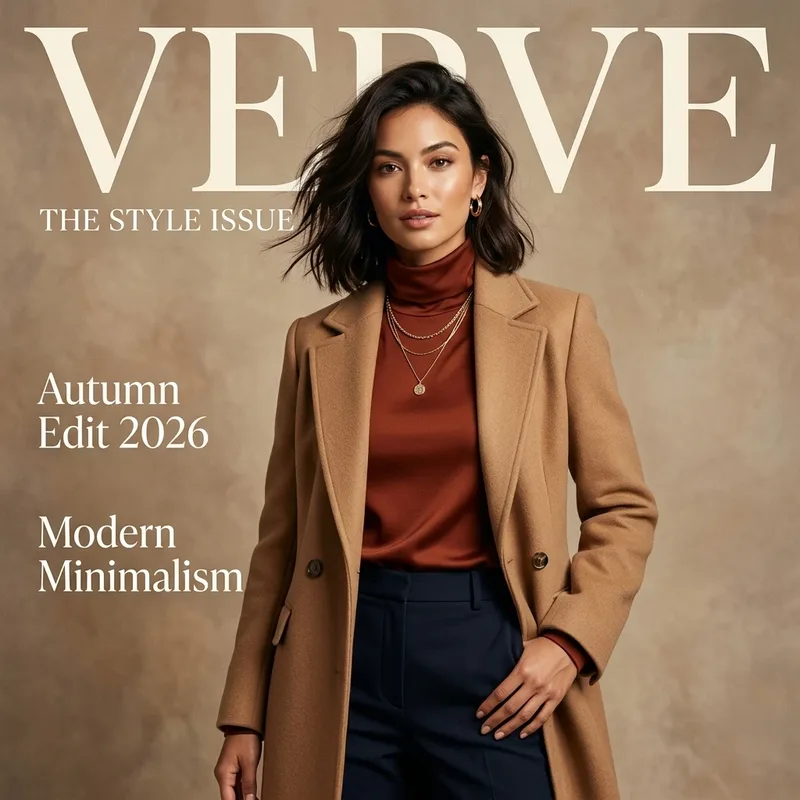
Magazine cover — text quoted word for word
A sophisticated woman with wavy, shoulder-length dark brown hair and a confident expression poses for a high-fashion magazine cover. She is dressed in an elegant autumn ensemble consisting of a rust-colored turtleneck top, a structured camel-colored wool overcoat worn open, and dark navy blue tailored trousers. She is adorned with gold hoop earrings and layered gold necklaces with a small circular pendant. The background is a textured, neutral beige studio wall. The image is a medium shot with soft, diffused studio lighting that creates a warm, polished glow. Large, elegant serif text at the top reads "VERVE", with "THE STYLE ISSUE" written in a smaller font underneath. On the left side, the text "Autumn Edit 2026" and "Modern Minimalism" are displayed in a clean, white font. The overall mood is one of modern minimalism and timeless elegance.
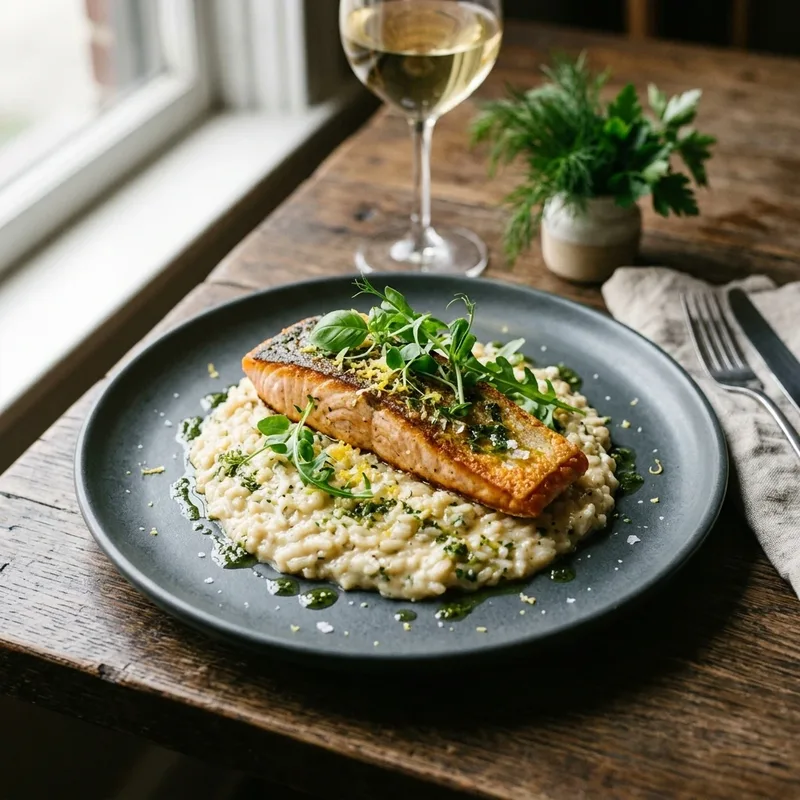
Food photography — plating, light and mood in words
A perfectly seared salmon fillet with a crispy, golden-brown skin rests atop a bed of creamy white risotto, served on a matte dark grey plate. The dish is elegantly garnished with fresh, bright green microgreens, sprinkles of yellow lemon zest, and a drizzle of vibrant green herb oil. The plate is set on a rustic, weathered wooden table. In the soft-focus background, a glass of chilled white wine and a small ceramic pot of fresh parsley and dill add to the scene, alongside a linen napkin with a silver fork and knife. The entire composition is bathed in soft, natural side-lighting from a nearby window, creating a gentle glow. The photograph uses a shallow depth of field to keep the textures of the fish and rice in sharp focus while the background elements blur softly, evoking a mood of refined, cozy dining.
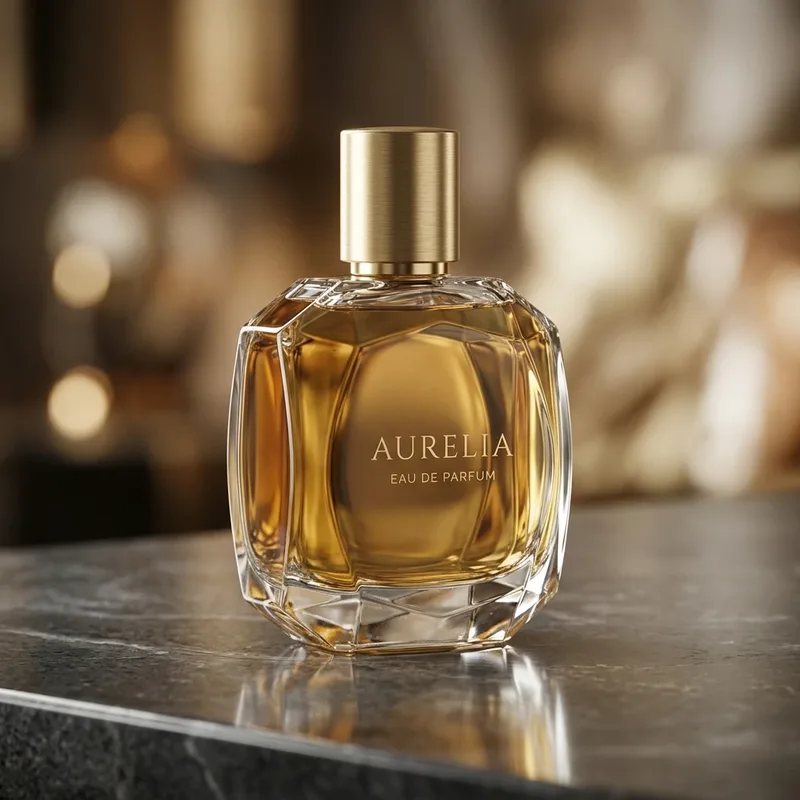
Product shot — materials and lighting captured
A luxury perfume bottle made of faceted, geometric clear glass containing a rich golden-amber liquid, topped with a brushed gold cylindrical cap. The bottle is centered on a dark, polished marble surface that creates a soft reflection of the glass base. On the front of the bottle, the words "AURELIA" and "EAU DE PARFUM" are printed in a sophisticated, minimalist serif font. The scene is captured with professional product photography, featuring a shallow depth of field that renders the warm, golden-brown background into a soft, creamy bokeh. Warm, directional studio lighting creates brilliant highlights on the glass edges and the metallic cap, enhancing the opulent feel. The color palette is dominated by shimmering golds, deep ambers, and charcoal greys, evoking an atmosphere of timeless elegance and sophistication.
What people use reverse prompting for
Reverse prompting turns any image you admire into a working draft — people use it to recreate styles they've found, recover lost prompts, and brief AI models with a reference image instead of words.
Recreate a style you found
Saw an image with exactly the look you want? Extract its prompt, swap the subject for yours, and keep the style, lighting and palette intact.
Learn prompt writing from real images
The six-field breakdown shows how a strong prompt is built — what counts as a style cue, a lighting cue, a camera cue — faster than any prompt-writing guide.
Rebuild a lost prompt
Generated something great weeks ago and never saved the prompt? Reverse it from the image and carry on where you left off.
Turn references into briefs
Designers and marketers can hand an AI a client's reference image as a written brief — subject, style, lighting and mood already separated out.
Build consistent series
Extract the prompt from your best image, keep the style and camera phrases fixed, and vary only the subject to get a matching set.
Move a look between models
Take an image made in one tool, extract the prompt in natural language or Midjourney format, and reproduce the look in another model.
A Photo to Prompt Generator You Can Run, Not Just Read
Most image to prompt tools stop at a wall of text. The useful part is what happens after.
Generate with one click
The extracted prompt lands pre-filled in our image generator, so you can see immediately how well it recreates the image — no copy-pasting into another tab.
Six-field breakdown, not a blob
Subject, style, lighting, camera, palette and mood are shown separately, so you can see what makes the image tick and edit one dimension without breaking the rest.
Formats that match your model
A general prose prompt for Nano Banana and GPT Image, comma-separated phrases with an aspect-ratio parameter for Midjourney, compact descriptive sentences for Flux, and tag-style phrases plus a ready-made negative prompt for Stable Diffusion — the same image, phrased the way each model expects.
Reads text inside images
Posters, covers and memes keep their words: any visible text is quoted verbatim in the prompt instead of being paraphrased away.
Private by design
Your image is downscaled in your browser, analyzed in memory and never stored or used for training — the only thing kept is the text prompt, and only you see it.
No invented details
The model is instructed to describe only what it sees and never pad with made-up specifics — concrete, faithful descriptions beat generic filler when you regenerate.
Image to prompt — questions people ask
How the extraction works, what the formats mean, and what happens to your image.
How does the image to prompt generator work?
You upload an image and a vision model analyzes it in six dimensions — subject, style, lighting, camera, palette and mood — then writes them into a single prompt in the format you chose. The breakdown is shown alongside the prompt so you can see exactly what the AI noticed. It takes about 20–30 seconds.
How much does an extraction cost?
Each extraction costs a fixed number of credits — the exact price is shown right on the Extract button before you run anything — and it appears in your credit history like any generation. New accounts start with free welcome credits that cover the first extraction, no card required, and failed extractions are refunded in full. Top-ups come from the regular credit packs on the pricing page.
Which AI models do the prompts work with?
There are four output formats. General Image Prompt writes flowing sentences for models like Nano Banana, GPT Image and Seedream — including the generators built into this site. The Midjourney format outputs comma-separated phrases with an aspect-ratio parameter, Flux gets compact descriptive sentences, and Stable Diffusion gets tag-style phrases plus a ready-made negative prompt. You can also choose from 16 output languages; parameter syntax always stays standard.
Can I get a Midjourney prompt from an image?
Yes — switch the format to Midjourney before extracting. You'll get subject-first, comma-separated phrases plus an --ar parameter matched to your image's shape. Paste it into Midjourney as-is, or tweak the phrases first.
Will the prompt recreate my image exactly?
No prompt can — text-to-image models add their own variation every run, so expect the style, subject and mood to carry over rather than a pixel-perfect copy. That's also why the one-click generate button is useful: you see in seconds what carried over, then edit the prompt to steer it.
What happens to my image after extraction?
It's gone as soon as the analysis finishes. Your browser downscales the image before upload, the server passes it to the vision model in memory, and nothing is written to storage — no gallery, no training data, no copy.
Can it describe an image that contains text?
Yes — visible text is one of the things the model handles best here. Words on posters, book covers, packaging or UI screenshots are quoted exactly in the prompt, so lettering survives the round trip instead of turning into gibberish.
Get the prompt behind any image
Upload an image and get its prompt in the format you need — analyzed privately, never stored. New accounts start with free welcome credits, so your first extraction is on us.