Zeva AIZeva AI
AI Headshot Generator Β· Free

AI Professional Headshot Generator

Turn an ordinary selfie into an AI professional headshot in minutes. Upload a photo, describe the style and background you want β€” corporate, studio, office blur β€” and the AI creates a polished, LinkedIn-ready portrait while keeping your face recognizably you. Then download a watermark-free portrait that's ready for LinkedIn, your resume or any profile.

Use URL

Click to upload an image

or drag and drop β€’ Max 10MB

PNG
JPG
JPEG
WebP
0/2,000
Aspect Ratio

Image resolution quality

Random

Seed for reproducible results

File format for the generated image

Cost: 80 creditsSign in to view balance

Est. time: up to 25 sec

Generated Images
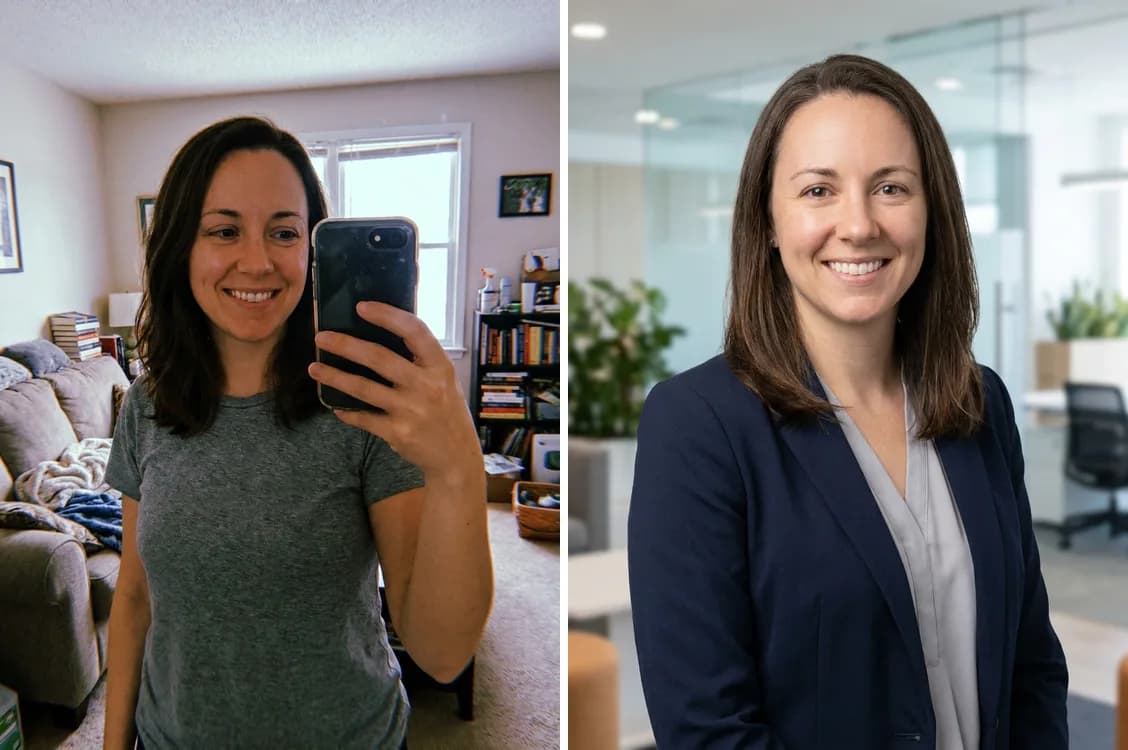
Before and after AI headshot generator: a casual home selfie of a woman on the left turned into a professional corporate headshot in a blazer on the right
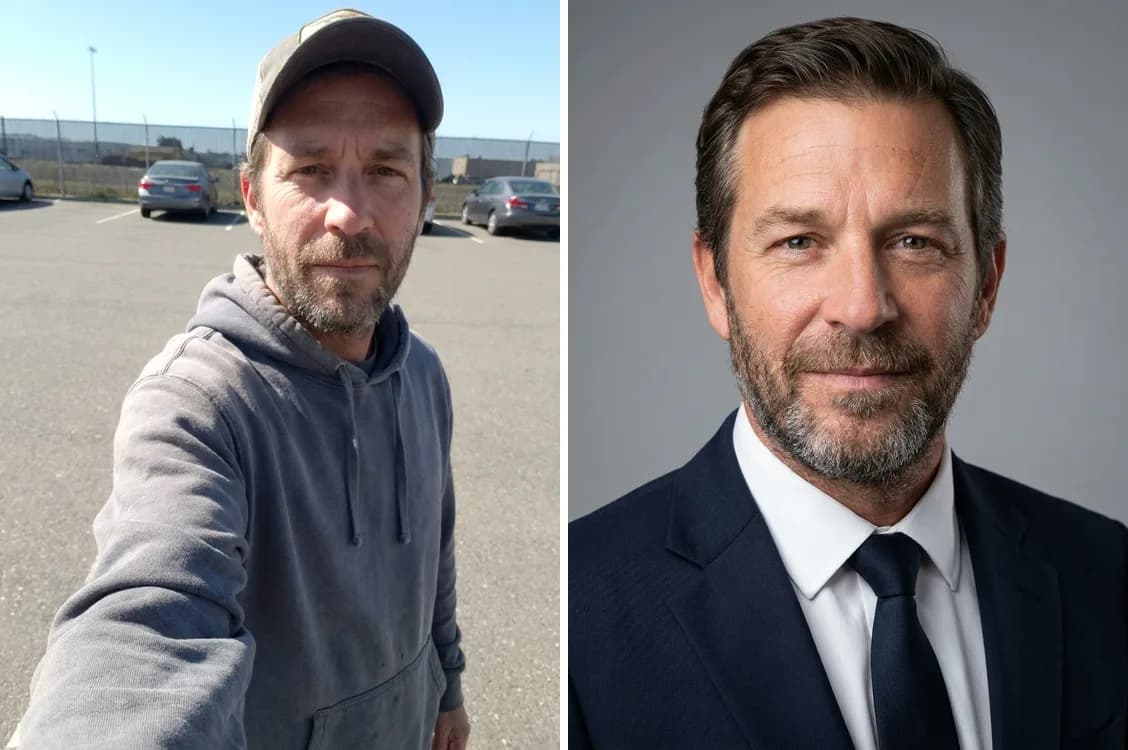
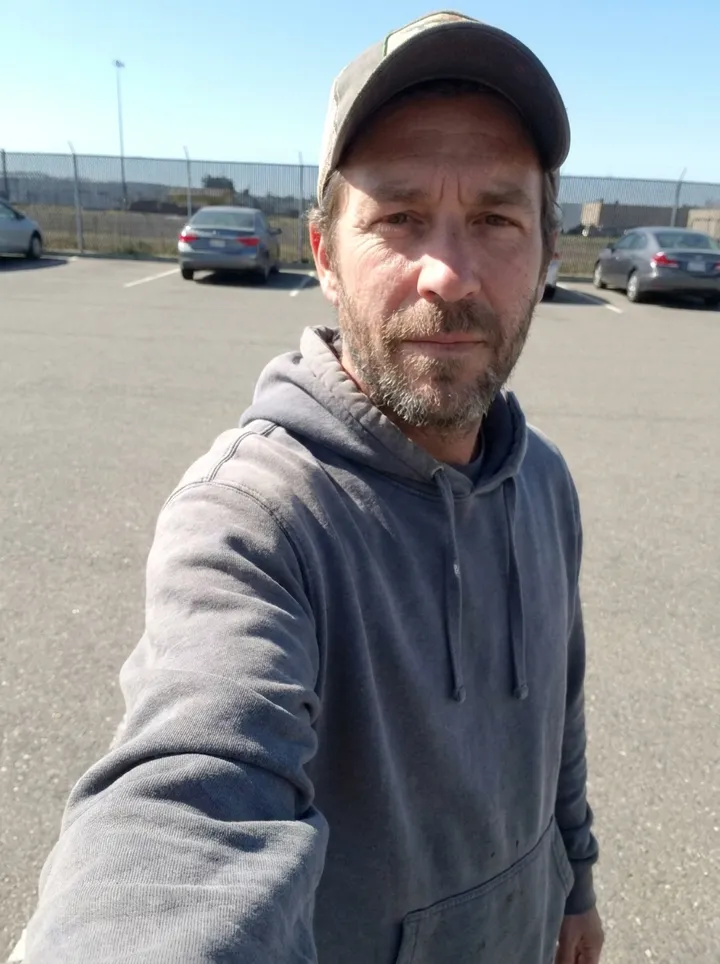
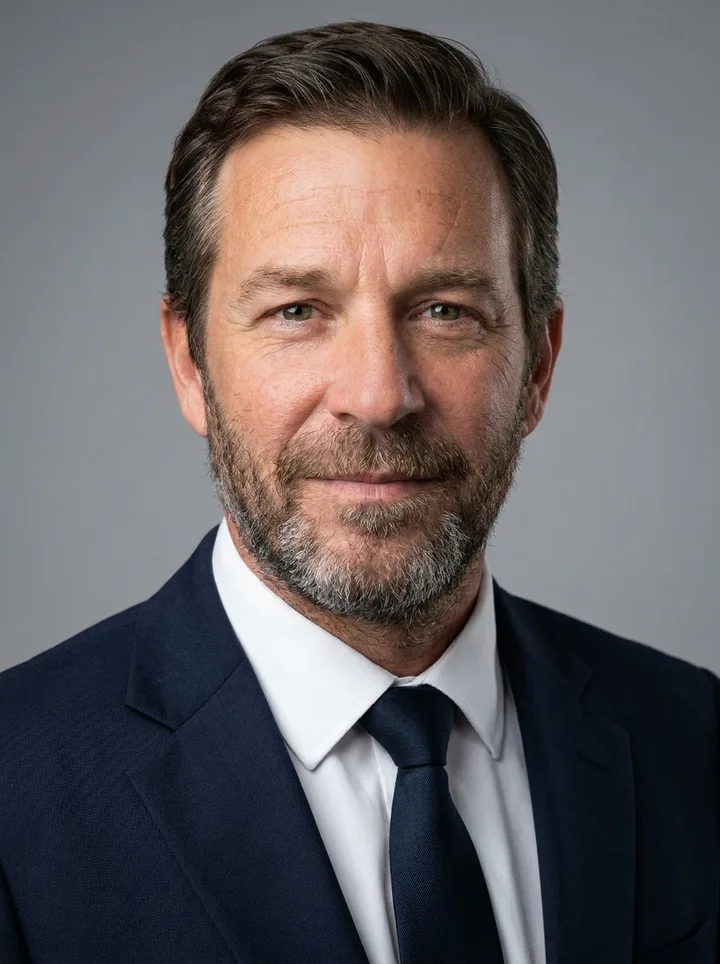
Before and after AI headshot generator: a casual outdoor selfie of a man on the left turned into a professional headshot in a navy suit on the right
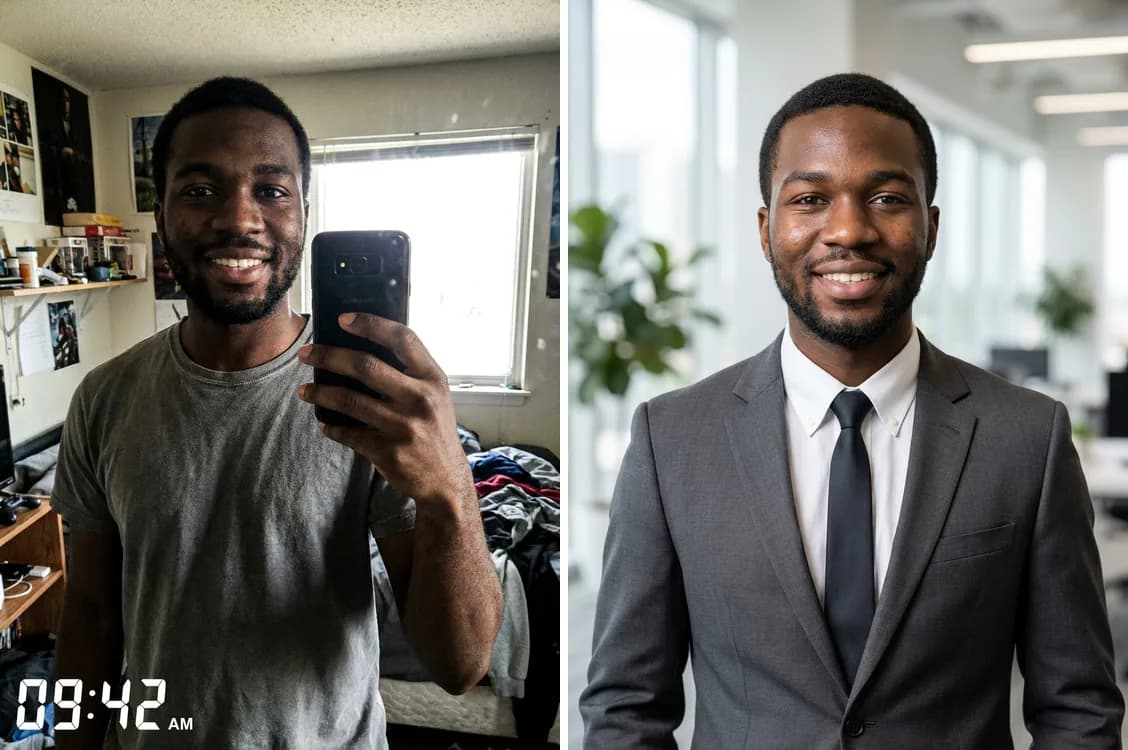
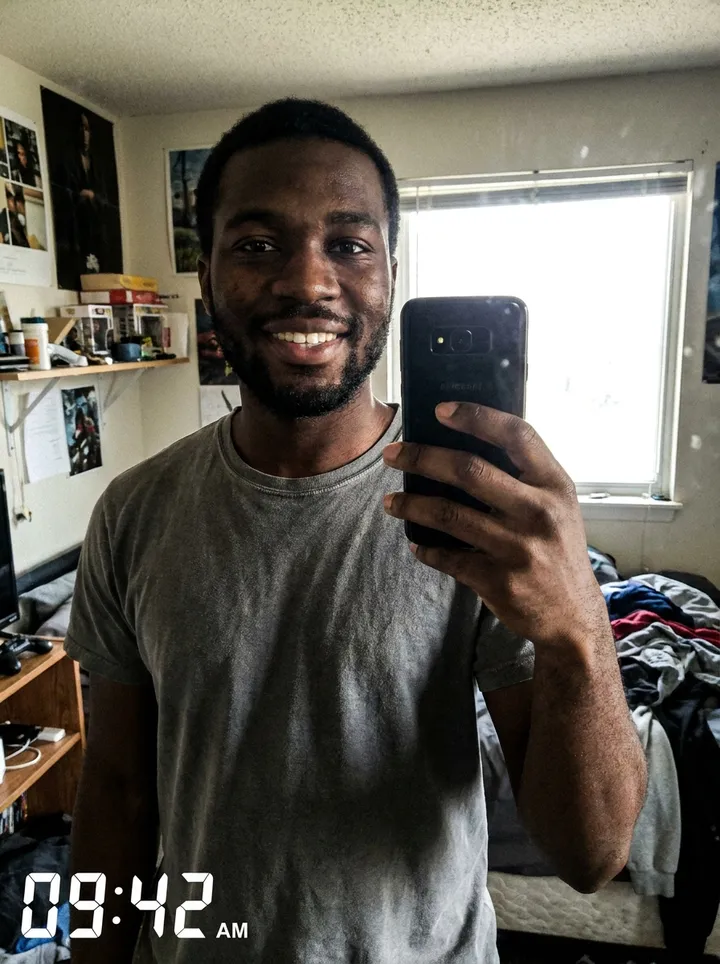
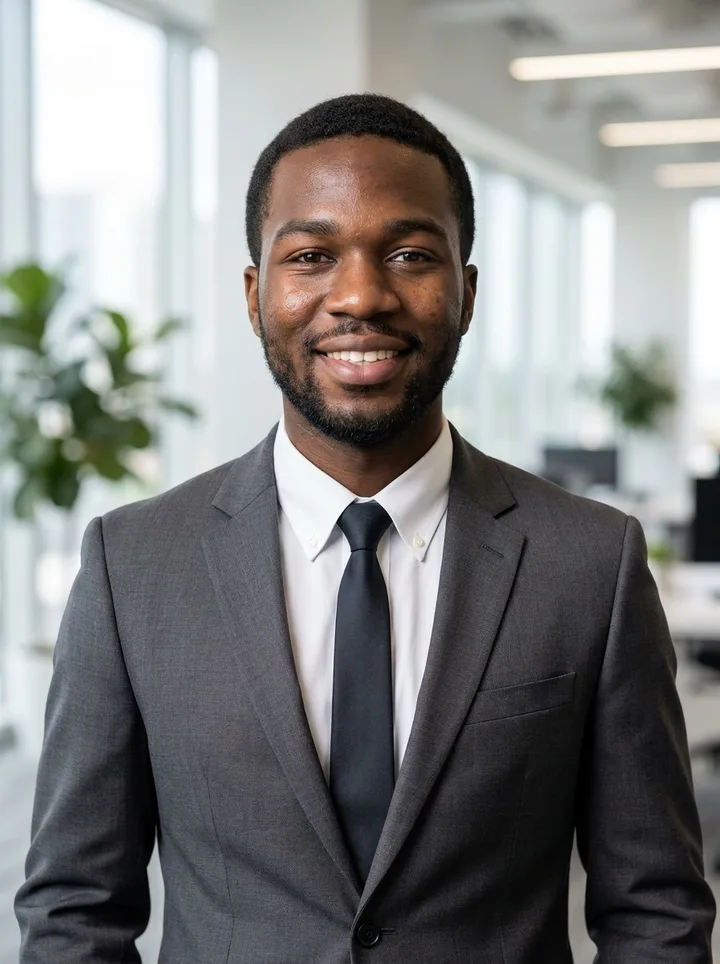
Before and after AI headshot generator: a casual bedroom selfie of a young man on the left turned into a professional office headshot in a suit on the right

Example results β€” your generation will appear here.

How It Works

Get a Professional Headshot in 3 Steps

No studio appointment and no photographer β€” upload a selfie, choose the look you want, and download a business-ready headshot in minutes.

1

1. Upload a selfie

Drop in a clear photo of your face β€” a regular phone selfie works fine. JPEG, PNG or WebP all upload straight from your phone or computer.

2

2. Choose your style & background

Type the look you want β€” for example 'corporate, navy suit, office blur' or 'studio gray background'. The professional headshot prompt is preset, so you only describe the details that matter to you.

3

3. Download your headshot

Preview your portrait and download it watermark-free, ready for LinkedIn, your resume, a company page or any profile.

Before & After

Selfie to Headshot: Real Before & After Results

Every example below is a casual selfie turned into a professional headshot with this tool β€” same person, new polish, no extra editing.
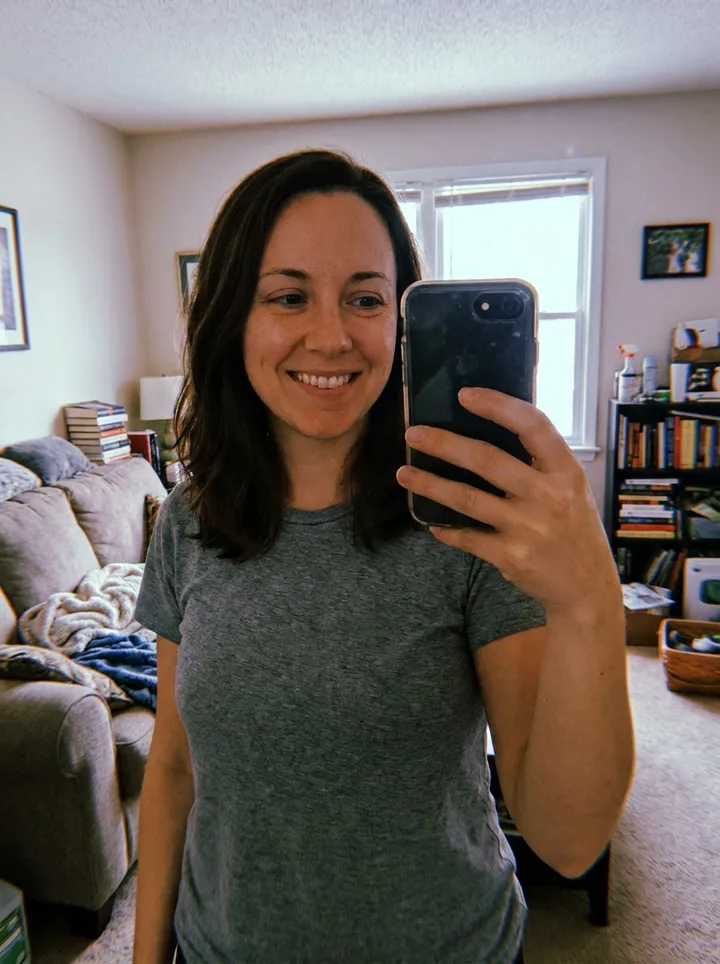
SelfieCasual mirror selfie of a woman in a t-shirt in her living room
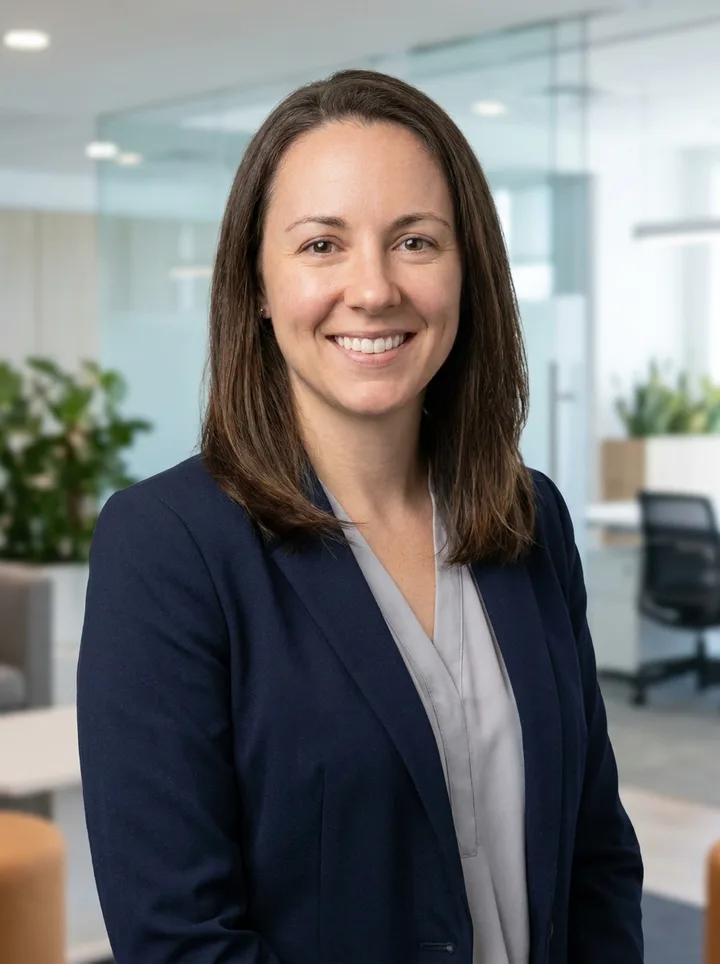
HeadshotThe same woman as a professional headshot in a navy blazer with a blurred office background
A home selfie becomes a corporate portrait
SelfieCasual outdoor selfie of a bearded man in a hoodie and cap in a parking lot
HeadshotThe same man as a professional headshot in a navy suit and tie on a studio gray background
An outdoor snapshot becomes an executive headshot
SelfieCasual bedroom selfie of a young man in a t-shirt with a cluttered background
HeadshotThe same young man as a professional headshot in a charcoal suit in a bright modern office
A quick selfie becomes a LinkedIn-ready portrait

What People Use the AI Headshot Generator For

People use the AI headshot generator to get a polished, professional photo from a simple selfie β€” for job hunting, company profiles, personal branding and any profile that deserves better than a cropped vacation pic.

LinkedIn & job applications

Get a confident, business-ready LinkedIn headshot that helps recruiters and clients take your profile seriously.

Company team pages

Give a whole team consistent, professional portraits β€” same style and background β€” without booking a photo shoot.

Resumes & personal branding

Pair a sharp corporate headshot with your CV, portfolio, speaker bio or personal site for a credible first impression.

Profile pictures everywhere

Use one strong portrait across email, Slack, social and conference badges so people recognize you at a glance.

Get an AI Professional Headshot Free

This AI headshot generator turns a single selfie into a studio-quality business portrait in minutes, giving you a photographer-grade result without booking a shoot.

Looks like you

Your facial identity is preserved while the outfit, lighting and background are upgraded, so the headshot still looks like the real you β€” not a stranger.

You pick the style

Describe the attire and background you want β€” corporate, creative, studio or office β€” and get a portrait that fits your industry.

Free to try, no watermark

New accounts start with free credits β€” no photographer's invoice. Download your headshot clean and ready to upload anywhere.

Your Questions About AI Headshots, Answered

Here are the answers people look for before uploading a selfie β€” how the tool works, what results to expect, and where you can use your finished headshot.

How do I turn my selfie into a professional headshot?

Upload a clear photo of your face, then type the style and background you want β€” for example 'corporate, navy suit, office blur'. Click Generate and in a few minutes you'll get a polished business headshot. The professional lighting and framing are preset, so you only describe the details that matter to you.

Will the headshot still look like me?

Yes. The tool keeps your facial identity and features intact while upgrading your outfit, the lighting and the background. The result looks like a professionally photographed version of you β€” not a different person. Clear, front-facing photos give the most accurate likeness.

What kind of selfie works best?

Use a sharp, well-lit photo where your face is clearly visible and looking toward the camera. Avoid sunglasses, heavy shadows, group shots, and very blurry or low-resolution images. A normal phone selfie taken in good light is perfectly fine.

Can I choose the outfit, background and style?

Yes β€” that's what the style box is for. Describe the attire and setting you want, like 'charcoal suit, studio gray background' or 'smart casual, bright office'. If you don't like the first result, change the description or generate again for a fresh take.

Can I use these headshots on LinkedIn and my resume?

Absolutely. You can download your headshot with no watermark and use it on LinkedIn, your resume, a company team page, social profiles or anywhere else you need a professional photo.

Do I have to pay to use it?

No β€” you can start for free. New accounts get free credits on signup with no credit card required, and you only need more credits if you generate a lot of variations. See the credit details on the pricing page.See pricing & credits

What happens to the photos I upload?

Your uploaded selfie is used only to generate your headshot β€” it isn't shared or sold. For the full details on how your data is handled, see our Privacy Policy.Read our Privacy Policy

Can I use this as a headshot generator from photo instead of a new selfie?

Yes. Any clear, front-facing photo works β€” an old vacation shot, a cropped group photo or a phone selfie. The generator keeps your facial identity from whatever photo you give it, so you don't need to take a new picture; just pick one where your face is sharp and well lit.

Is a free AI headshot generator as good as a studio photoshoot?

For screen use β€” LinkedIn, resumes, team pages β€” the difference is hard to spot: you get studio-style lighting and a clean background without booking anything. A photographer still wins for large prints and full control over posing. Your free signup credits cover the first headshots, so you can judge the quality yourself before spending anything.

Create your professional headshot now

Turn a selfie into a business-ready headshot in minutes β€” free credits on signup, no credit card required.