
GPT Image 2.6 online: Flare and Sunburst, plus animated GIF and SVG output
GPT Image 2.6 is OpenAI's November 2026 image model, the one behind ChatGPT Images 2.6. It comes in two versions: Flare, the fast everyday model, and Sunburst, which spends longer for finer detail and steadier edits. Both keep the accurate in-image text GPT Image is known for, and both can return an animated GIF or an SVG vector file instead of a flat picture. Pick the version and the format in the generator below. No ChatGPT subscription needed, and you get free credits when you sign up.
GIF = short looping animation. SVG = vector file (text-to-image only, ~1 min).
Low = fast draft. Medium = balanced. High = best detail.
Est. time: up to 30 sec



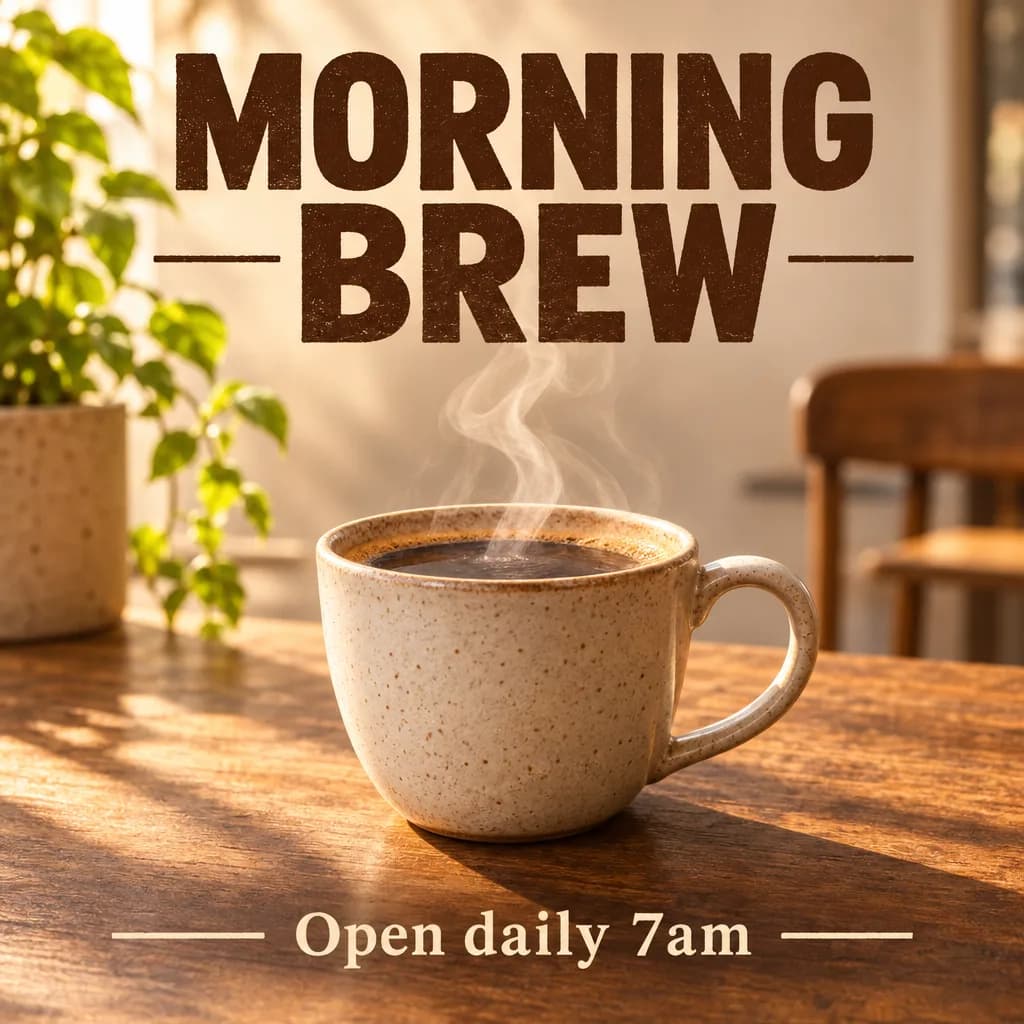
Example results — your generations will appear here.
GPT Image 2.6 specs: Flare vs Sunburst and what's new
Key facts about GPT Image 2.6 as it runs on this site, measured on our own test runs.
Two versions: Flare and Sunburst
Flare is the default: most images come back in about 10–15 seconds. Sunburst takes roughly two to three times longer and puts the extra time into fine detail and keeping the subject the same across edits. Switch between them in the model menu.
Animated GIF output
Choose GIF as the output format and you get a short looping animation: 9 frames at 512×512 or 768×768, played slow, normal, or fast. Works from a prompt or from an uploaded image.
SVG vector output
Choose SVG and the model returns a real vector file made of shapes and paths, ready to scale for logos, icons, and print. SVG is available in text-to-image and takes about a minute.
Accurate text in images
Headlines, labels, and short lines of copy come out spelled correctly in most runs. In our tests every poster rendered both its headline and its small print correctly on Flare and on Sunburst.
Three quality tiers
Low, Medium, and High trade cost against polish. Low is fine for drafts; High adds cleaner lighting and texture for the final image. GIF and SVG run at a fixed quality.
Cheaper High quality than GPT Image 2
GPT Image 2.6 on High costs a fraction of GPT Image 2 on High and finishes in seconds, not minutes. The generator shows the exact credit cost before every run.
What to make with GPT Image 2.6
GPT Image 2.6 handles still images, short animations, and vector files in one place. These are the jobs it does well.
Product and logo GIFs
Turn a product shot or a logo into a small looping GIF for a store page, an email, or a social post. Upload the image, pick GIF, and describe the motion you want.
Stickers and emotes
Animated reactions, mascots, and emotes for Discord, Twitch, or chat apps. A 512×512 GIF is a good starting size; keep the character and background simple.
Logos and icons as SVG
Flat logos, app icons, and simple illustrations you can open in Figma or Illustrator and scale to any size without blur.
Posters and social graphics
Event posters, menus, thumbnails, and ads where the words have to be right. Quote the exact text and it usually comes back as written.
Photo edits by instruction
Change a background, an outfit, or the lighting by describing it. Use Sunburst when the same person or product has to stay recognizable across several edits.
Fast concept drafts
Flare on Low is quick and cheap enough to try a dozen ideas, then re-run the one you like on Sunburst High for the final.
GPT Image 2.6 vs GPT Image 2, Nano Banana 2.1, and other models
GPT Image 2.6 is the only model on this site that outputs GIF and SVG. For still images, here is how it compares with the rest of the lineup.
GPT Image 2.6 vs GPT Image 2
2.6 is newer, faster, and much cheaper on High quality, and it adds GIF and SVG output. GPT Image 2 stays available if you want results consistent with images you already made on it.
Learn more →Flare vs Sunburst
Both cost close to the same. Flare is two to three times faster, which suits drafts and most everyday images. Sunburst is for final images with fine detail, and for edits where the subject must not drift.
Use Nano Banana 2.1 for 4K and wide formats
Nano Banana 2.1 outputs up to 4K and offers ultra-wide 21:9 and 4:5 ratios. GPT Image 2.6 tops out around 1024–1536 pixels.
Learn more →Use Grok Imagine 2.0 for poster typography
For layouts where the lettering is the design itself, Grok Imagine 2.0 plans typography very deliberately. GPT Image 2.6 is quicker and also does animation and vectors.
Learn more →Use Z-Image Turbo for the cheapest drafts
Z-Image Turbo is the lowest-cost model here and returns images in 5–10 seconds. Good for exploring compositions before moving a prompt to GPT Image 2.6.
Learn more →Examples
GPT Image 2.6 prompt examples: image, GIF, and SVG
These prompts were run on GPT Image 2.6 Flare. Copy one into the generator above and pick the matching output format.
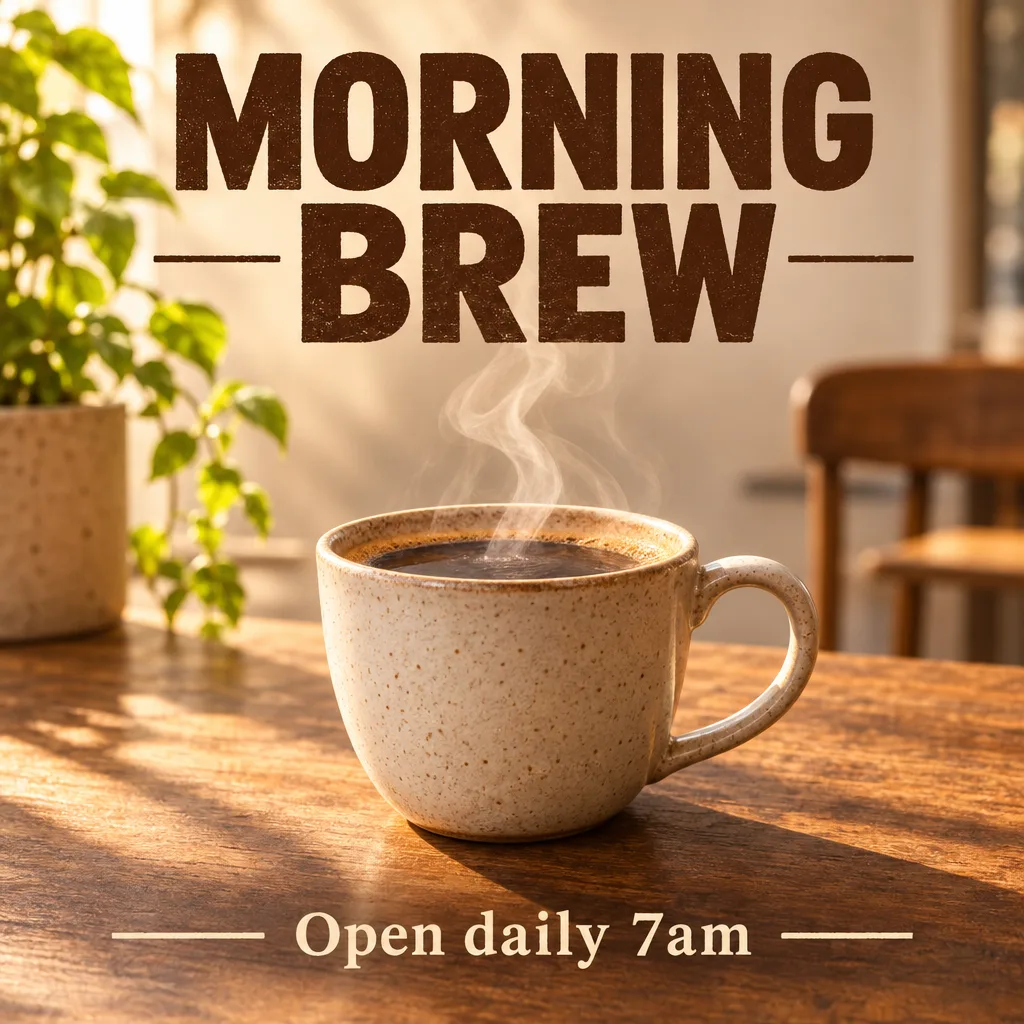
Poster with exact text (PNG)
A minimalist coffee shop poster: a steaming ceramic cup on a wooden table, warm morning light, bold headline text 'MORNING BREW' at the top and small text 'Open daily 7am' at the bottom.

Waving mascot (GIF)
A cute cartoon coffee cup mascot waving hello, steam rising, simple flat style, seamless loop

Two-color logo (SVG)
Flat vector logo icon of a coffee cup with a leaf, two colors, clean shapes
GPT Image 2.6 tips for better images, GIFs, and SVGs
A few habits that get cleaner results from GPT Image 2.6 and save credits.
1. Draft on Flare, finish on Sunburst
Work out the prompt on Flare at Low quality, which is fast and cheap. When it looks right, switch to Sunburst High for the version you keep.
2. Describe the motion for GIFs
Say what moves and how: 'waving hello', 'steam rising', 'logo slowly rotating', and add 'seamless loop'. Simple shapes on a plain background animate most smoothly.
3. Keep SVG prompts flat and simple
Ask for a flat logo or icon with two or three colors and clean shapes. Photos and heavy texture don't turn into tidy vectors.
GPT Image 2.6 FAQ
Straight answers about using GPT Image 2.6 online: the two versions, GIF and SVG output, cost, and limits.
What is GPT Image 2.6?
GPT Image 2.6 is OpenAI's image generation and editing model released in November 2026, the model behind ChatGPT Images 2.6. It comes in two versions, Flare and Sunburst, and besides regular images it can output animated GIFs and SVG vector files.
What's the difference between Flare and Sunburst?
Flare is the fast version: most images take about 10–15 seconds here. Sunburst takes about two to three times longer and spends it on finer detail and on keeping a subject consistent across edits. Sunburst costs 10 credits more per image.
Can GPT Image 2.6 make GIFs?
Yes. Set the output format to GIF to get a 9-frame looping animation at 512×512 or 768×768, at slow, normal, or fast speed. You can start from a text prompt or from an uploaded image.
Can GPT Image 2.6 make SVG files?
Yes, from a text prompt: set the output format to SVG and you get a vector file you can scale and edit. It works best for flat logos, icons, and simple illustrations, and takes about a minute. SVG isn't available when editing an uploaded image.
How can I use GPT Image 2.6 for free?
Sign up and your free signup credits cover your first GPT Image 2.6 images, with no ChatGPT plan and no API key. After that you pay as you go with credits.
How much does GPT Image 2.6 cost?
Flare starts at 30 credits per image on Low quality and Sunburst at 40; Medium and High cost a little more, GIFs start at 40 credits, and edits add 10 credits per uploaded image. The generator shows the exact cost before each run.View current pricing
Is GPT Image 2.6 better than GPT Image 2?
For most work, yes: it's faster, much cheaper on High quality, and adds GIF and SVG output. GPT Image 2 is still available on its own page.
What if a prompt is blocked or a generation fails?
Every prompt is checked against our content policy before any credits are used, so a blocked prompt costs nothing. If a generation fails after it starts, the credits are returned automatically. The mask and markup editing tools OpenAI added in 2.6 aren't available here yet; edits are made by describing the change.
Is there a GPT Image 2.6 API?
Yes, OpenAI offers GPT Image 2.6 Flare and Sunburst to developers through its API. If you just want the images, you don't need it: the generator on this page runs the model for you.
Try GPT Image 2.6 free
Sign up for free credits and make images, looping GIFs, and SVG logos with OpenAI's newest image model.
Disclaimer: Zeva AI is an independent product and is not affiliated with, endorsed by, or sponsored by OpenAI. GPT Image 2.6 is developed and owned by OpenAI. All model names, logos, and trademarks are the property of their respective owners. Zeva AI accesses GPT Image 2.6 through the fal.ai platform.